Terminal color themes for Alabaster Dark and Alabaster Light, available for 14 different terminal emulators.
Background
These terminal themes are inspired by the Alabaster color scheme created by Nikita Prokopov (aka Tonsky) and the philosophy outlined in his blog post “A case against syntax highlighting”.
In the original IDE themes, Alabaster highlights only four syntax classes: strings, constants, comments, and global definitions. Terminal themes are limited to 16 ANSI colors, but the same principle applies: use color sparingly and intentionally.
Supported Terminals
- Alacritty
- Contour
- foot
- Ghostty
- iTerm2
- Kitty
- Konsole
- mintty
- PuTTY
- Terminal.app
- Tilix
- Warp
- WezTerm
- Windows Terminal
Related Themes
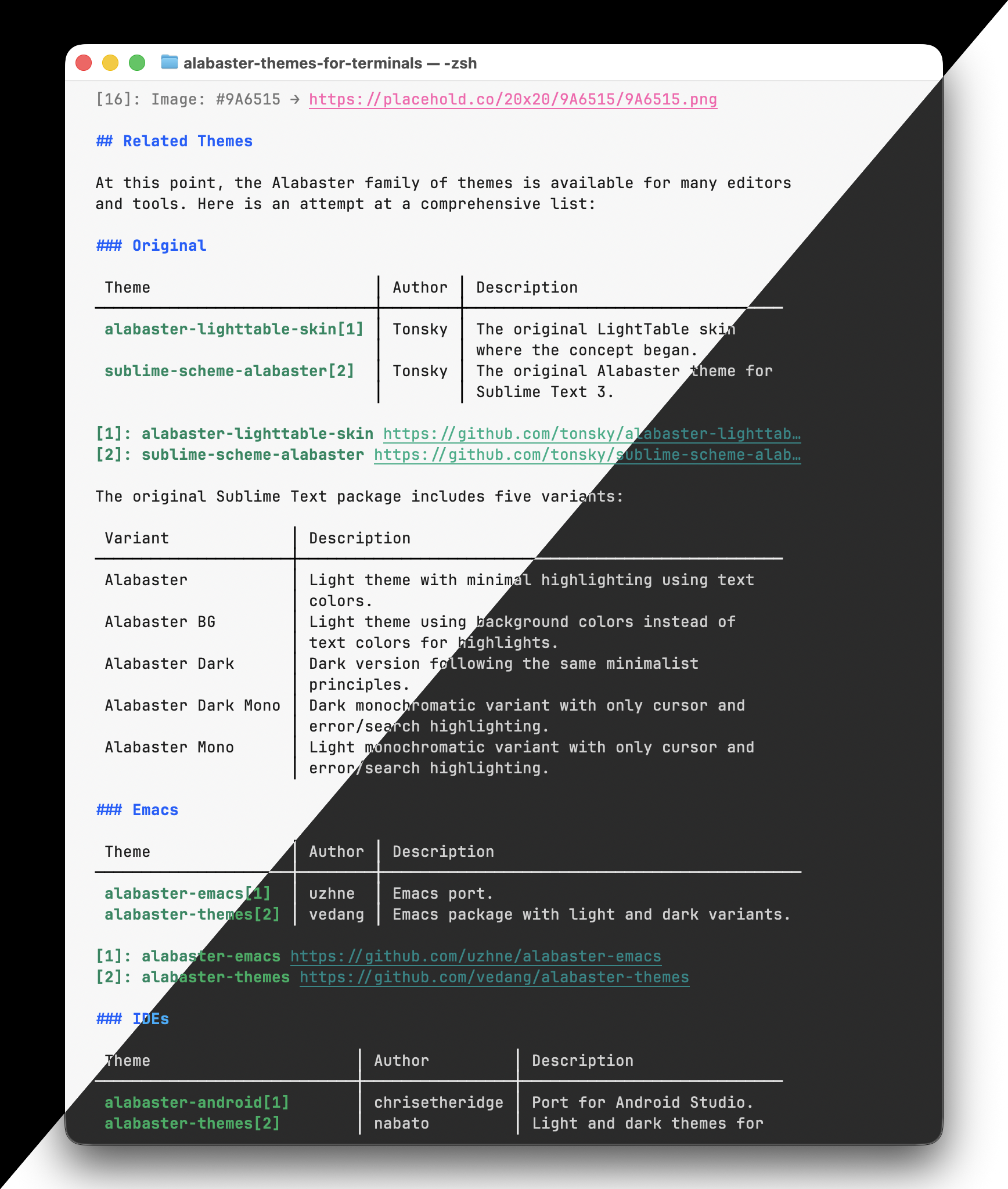
At this point, the Alabaster family of themes is available for many editors and tools.
Original
- alabaster-lighttable-skin — Tonsky’s original LightTable skin where the concept began
- sublime-scheme-alabaster — Tonsky’s original Alabaster theme for Sublime Text 3
The original Sublime Text package includes five variants: Alabaster, Alabaster BG (using background colors instead of text colors), Alabaster Dark, Alabaster Dark Mono, and Alabaster Mono.
Emacs
- alabaster-emacs — Emacs port by uzhne
- alabaster-themes — Emacs package with light and dark variants by vedang
IDEs
- alabaster-android — Port for Android Studio by chrisetheridge
- alabaster-themes — Light and dark themes for JetBrains IDEs by nabato
- intellij-alabaster — Tonsky’s original port for JetBrains IDEs
- Travertine — Alternative minimal theme for Sublime Text 2 and TextMate by freetonik
- vscode-rubber-theme — Dark VS Code variant using colors from the Plastic theme by apust
- vscode-theme-alabaster — Tonsky’s original VS Code port with light theme
- vscode-theme-alabaster-dark — Dark variant for VS Code by gargakshit
- zed-theme-alabaster — Port for the Zed editor by tsimoshka
Terminal Emulators
- alabaster.nvim gists — Config snippets for Alacritty, fzf, Kitty, WezTerm, wofi, and zathura by p00f
- iterm2-theme-alabaster — iTerm2 theme by mkaschenko
- kitty-alabaster — Kitty theme by anmolmathias
- warp-alabaster-theme — Warp terminal theme by arsenydubrovin
Vim and Neovim
- alabaster.nvim — Neovim port with Treesitter support by p00f
- alabaster.vim — Vim colorschemes with five variants by sderev
- vim-colors-alabaster — Vim port by agudulin
See also
Fira Code
Tonsky’s beautiful update of Fira Mono for coding, with monospaced ligatures. Pairs very well with Alabaster.
“A case against syntax highlighting”
Tonsky’s blog post explaining the philosophy behind minimal highlighting.
sublime-scheme-alabaster
The original Alabaster theme repository with design rationale.
Writer color theme
Tonsky’s color theme for focused long-form writing, inspired by iA Writer, in its original Sublime Text form.
Also available as a VS Code color theme, ported by me.
Credits
Original theme by Nikita Prokopov (aka Tonsky).